Job History
History of executed jobs
The Job History page displays past executions of scheduled jobs and their status so you can inspect runs, troubleshoot failures, and audit activity.
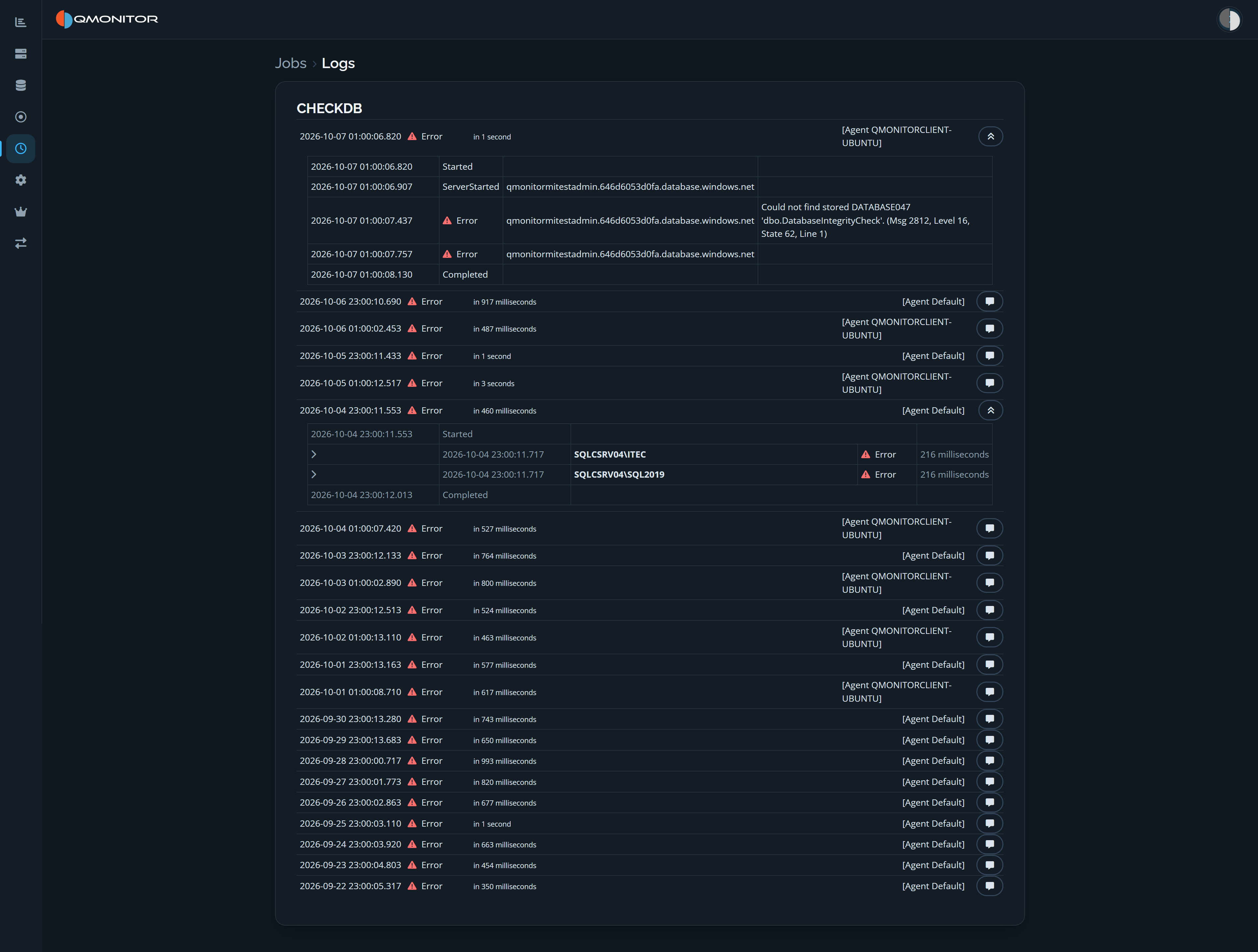 Job Logs page showing execution summaries and expanded event details
Execution history
Executions are grouped under their job name and ordered newest first. Each execution summary shows its date and time, status, duration, and the agent that performed it. Statuses include running, succeeded, and error. The list supports infinite scrolling.
Run details
Expand an execution to inspect its chronological event details. These can include start and completion events, target servers, per-server status and duration, and messages explaining errors. Use the details to identify which server or step failed and review the reported error.